
Feb 25
Opening Studio From HeySummit
I created a series of talks in Heysummit. When clicking open studio from heysummit I get a message in Heystream that this event is managed through Heysummit and I am not able to proceed to the studio.
Completed
The message is now gone. Now it takes me to my workspaces and I can't access studio of the actual scheduled talk. This is the page navigated to when I click the open studio from within Heysummit talks page: https://app.heystream.com/account/workspaces
Thanks Zakia, and can you provide the URL of the event in HeySummit that you're trying to launch the studio from? Sorry for all the questions; I just want to make sure we can trace exactly the steps you're taking.
Here is the link to the heysummit event/talks page I am clicking to get to studio. The message is back as well. Screenshot attached. https://aibusinesssummit.businesstechlab.com/manage/content/…
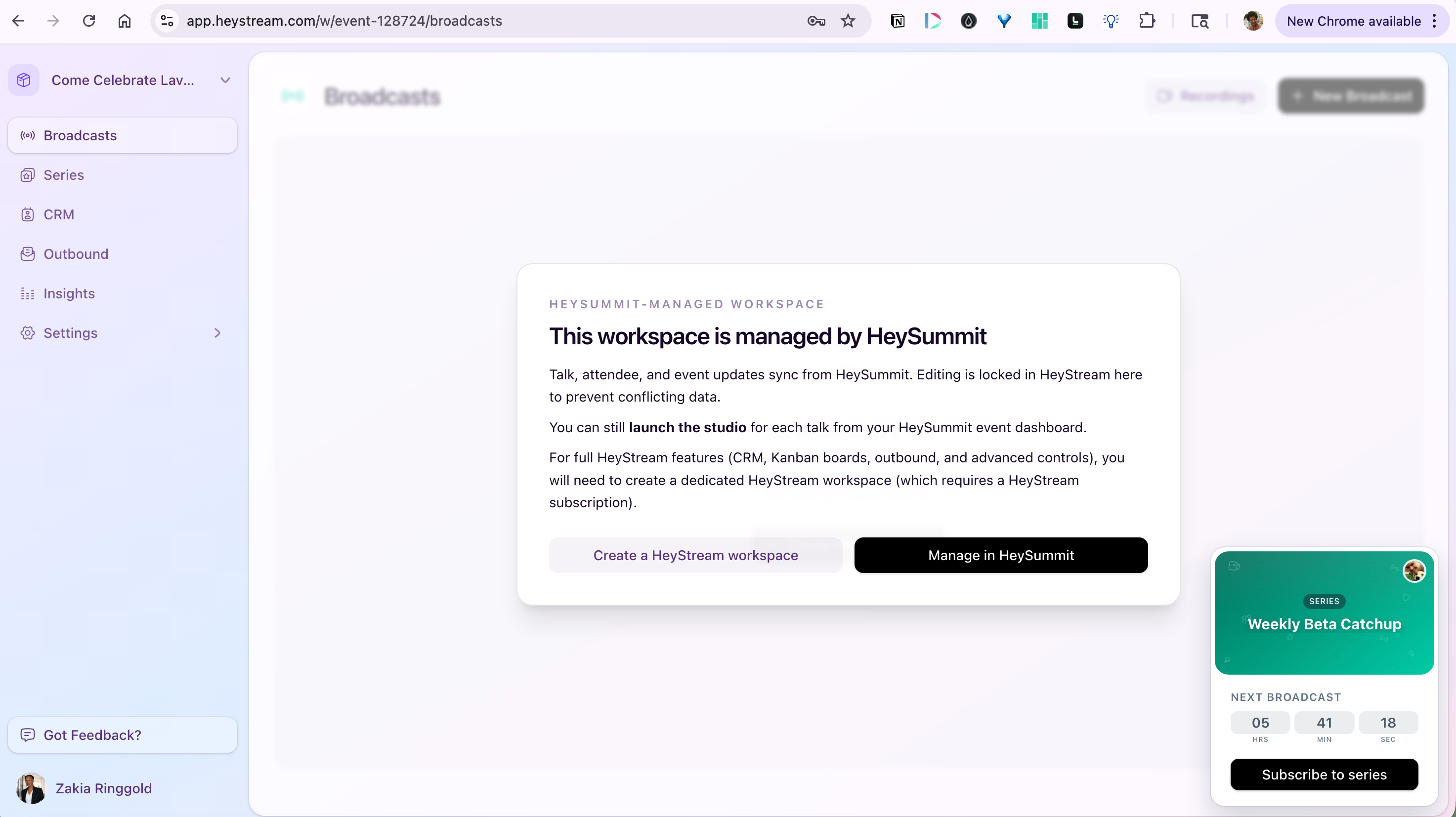
Hey Zakia, Thanks so much for your patience here and helping us get to the bottom of it! This should now be resolved. I've done a quick test from your HeySummit dashboard, and the link is now opening correctly for me. Would you mind giving it a quick try yourself, and if there's any issues, feel free to reply and that will re-open this ticket. Otherwise, I've marked this as closed and will assume it's all good if I don't hear from you.
Works perfectly. Thanks for resolving so quickly.
Hi Zakia, Can you please confirm exactly what you're doing to get to that message? For example, are you clicking the Open Studio button from the Content > Talks page in HeySummit? If you are, does it immediately show the managed by HeySummit message, or do you see the studio join page first and then it redirects you? Can you also perhaps let me know what the URL is that you're being taken to when you click the Open Studio button from HeySummit? Many thanks,